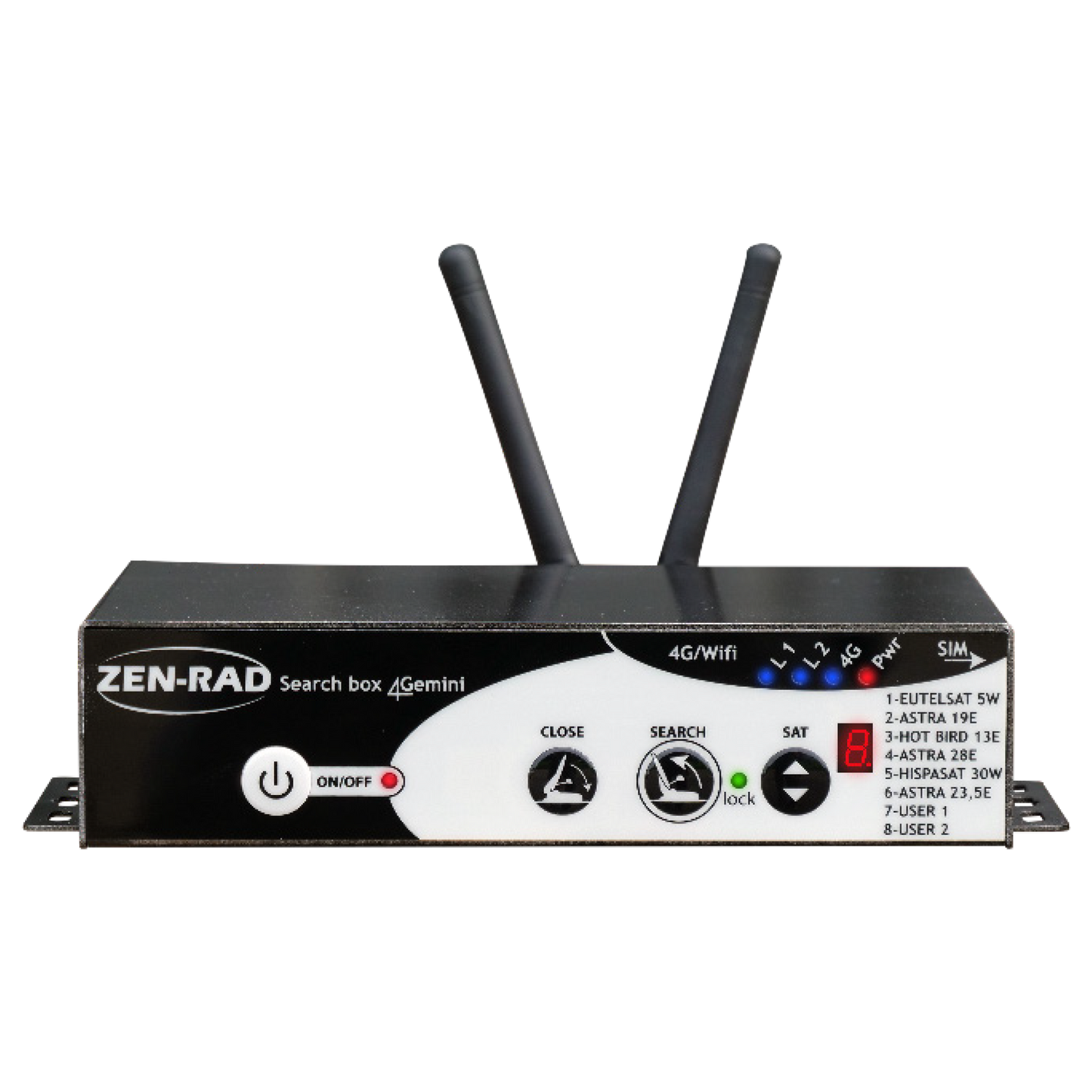
Automatic Antenna Positioner - Search Box 4Gemini
iHD Positioner and 4G Router for Satellite Antenna and 4G
Transform your satellite antenna into a 4G antenna with this multifunctional HD positioner. This control box combines the functions of a satellite positioner (6 pre-programmed satellites + 2 customizable) and a 4G router for fast and reliable internet access. It is compatible with the ZEN-RAD Aero outdoor antenna or a supplied indoor antenna. With independent management of satellite and 4G functions, it offers a 2.4 GHz WiFi connection up to 150 Mb/s. The system is equipped with Bluetooth, automatic closing of the SAT antenna before switching off, and an intelligent ON/OFF mode. Lightweight and compact, this metal box integrates a 12V power supply and a SIM port for easy management.
HD Positioner - 6 pre-programmed satellites + 2 customizable .
A single control box combines the positioner functions for the satellite antenna
and 4G router for Internet access.
• Enable or disable the router function independently
• Works with the ZEN-RAD Aero outdoor antenna (for optimal reception)
OR an indoor stick antenna (provided)
• Intelligent ON/OFF mode: automatic closing of the SAT antenna before switching off
• Bluetooth
Technical characteristics:
- WiFi : 2.4 GHz - Speed up to 150 Mb/s
- Power supply : 11/14.5 V DC
- Router function consumption : 1.5W / Peak: 400mA / 0 in OFF
- Positioner function consumption : 0 in standby / 3 A in Search
- SIM port type : Nano SIM Card
- Operating temperature : -20°C / + 70°C
- Number of satellites : 6 predefined + 2 customizable
- Compatibility : DVBS/S2 - Freq. 950 to 2150 MHz
- RF Input : 1 x "F" with LNB feed
- RF Output : 1 x automatic "F" loop
- Dimensions : L x W x H 165 x 100 x 40 mm
- Weight : 650g
- Materials : Metal housing
- Port : RJ45 / LAN / WiFi / 4G 1 x Keyboard + 2 x LAN + 2 x SMA
- Bypass : 12V auxiliary - 2-pin terminal block (+/-)
- (D+) : fallback safety - Automatic or terminal mode
Couldn't load pickup availability
Share

- Choosing a selection results in a full page refresh.
- Opens in a new window.
You have copied the placement for the Product Page.
Go back to the App Embeds section, and in the Paypal Advanced Settings, paste the copied value into the Product Page field and click the 'Save' button in the top right corner.